Face Swap di Video Lunghi
ClapClip scambia i volti nei video lunghi su Windows — tutorial completi, interviste, podcast e film — con tracciamento preciso al fotogramma e anteprima in tempo reale. Poiché tutto viene eseguito localmente, non ci sono limiti di durata né tariffe cloud al minuto.
Download gratuito. L'esportazione richiede un acquisto nell'app.
Nessun limite di durata
Gli strumenti di face swap cloud limitano la durata della clip o addebitano al minuto. ClapClip elabora localmente sulla tua GPU, quindi l'unico limite alla durata del video è il tuo hardware, non crediti o quote di caricamento.
Coerente su ogni fotogramma
I video lunghi attraversano tagli, cambi di luce e rotazioni della testa. ClapClip traccia il volto fotogramma per fotogramma e fonde lo scambio così da reggere per l'intera durata, non solo su una breve clip.
Privato e offline
Il materiale lungo resta sulla tua macchina — nulla viene caricato. Questo mantiene privati interviste, lavoro per i clienti e materiale inedito, senza attendere code cloud.
- Nessun limite di durata
- Tracciamento fotogramma per fotogramma
- Anteprima in tempo reale
- Elaborazione GPU locale
Controlla i dettagli prima di esportare
Parti da un volto sorgente nitido. Controlla rotazioni, occlusioni, luce e bordi nell'anteprima. Risultati e velocità dipendono dal materiale e dall'hardware.
Download gratuito. L'esportazione richiede un acquisto nell'app.
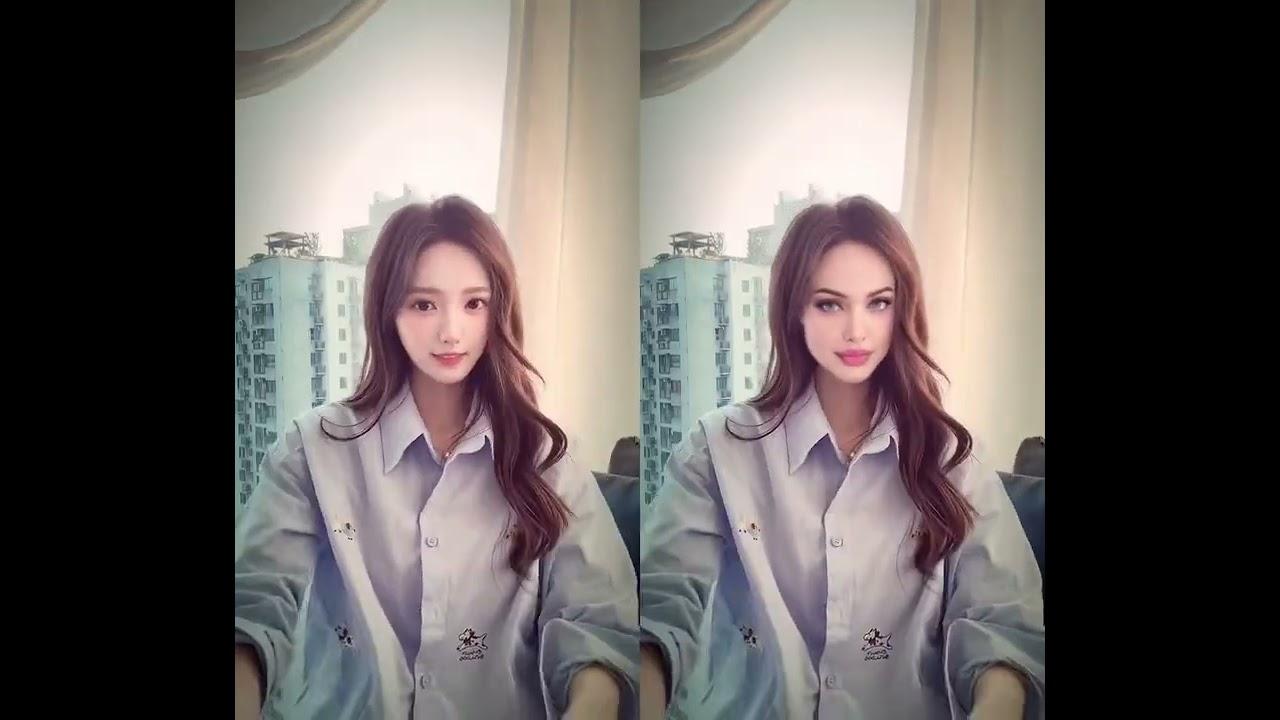
Video currently unavailable. This is a saved preview image, not a playable video.
Video currently unavailable. This is a saved preview image, not a playable video.
Guarda il prima e dopo completoFAQ
Quanto può essere lungo un video gestito da ClapClip?
Non c'è un limite fisso — la durata è vincolata solo dal tuo hardware e dallo spazio su disco, non da crediti cloud o tariffe al minuto.
Il volto resterà coerente in un video lungo?
Sì. ClapClip traccia e fonde il volto fotogramma per fotogramma, quindi lo scambio regge attraverso tagli, movimento e cambi di luce per l'intera durata.
I video lunghi vengono caricati nel cloud?
No. L'elaborazione è completamente locale su Windows, quindi anche materiale di più ore non lascia mai il tuo PC.
Crea con il consenso. Usa immagini e volti di cui possiedi i diritti e indica chiaramente i contenuti modificati.
Scegli il tuo flusso di lavoro
Sostituzione del volto nei video
Cambia il volto in un video con l'app per Windows.
Guarda i risultatiSostituzione del volto nelle foto
Apri una foto nell'app per Windows e aggiungi il volto che vuoi usare.
Guarda i risultatiElaborazione in blocco
Usa un solo volto su più foto o video nell'app per Windows.
Guarda i risultatiElaborazione locale
Elabora foto e video sul PC Windows senza caricarli online.
Guarda i risultatiIl tuo prossimo montaggio inizia sul PC
Download gratuito. L'esportazione richiede un acquisto nell'app.