AI Photo Face Swap
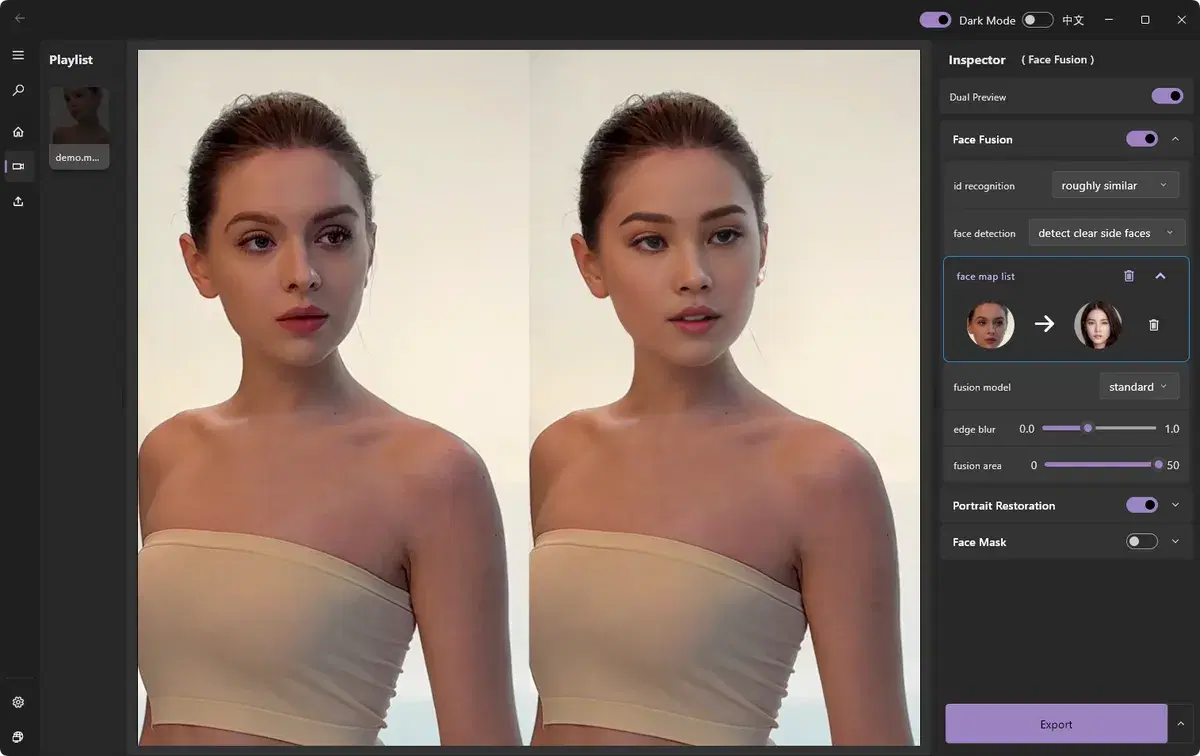
Photo face swap drops a new face into a still image while matching the original lighting and tone so it looks natural. ClapClip AI handles the blending automatically and keeps your images on your own computer.
Free download. Export requires a purchase inside the app.
How it works
- Automatic matching of skin tone, lighting, and shadows
- Works with a single source photo — no complex setup
- Private by design: images never leave your device
Open your photo
Load the image you want to edit.
Add a source face
Choose a clear front-facing photo of the face to swap in.
Preview the blend
Review the automatically blended result.
Save
Export the finished image in your preferred format.
Free download. Export requires a purchase inside the app.
Original and processed footage, side by side. These short examples are not performance benchmarks.
Look closely before you export
Start with a clear source face. Check head turns, occlusion, lighting and face edges in the preview. Results and processing speed depend on your footage and hardware.
Create with permission. Use media and faces you have rights to, and clearly disclose edited content.
Choose your workflow
AI Video Face Swap for Windows
Swap faces in any video clip with frame-by-frame AI tracking, a live preview, and fully local processing on your Windows PC.
See the resultsPhoto Face Swap
Swap faces in photos in seconds with natural blending of skin tone, lighting, and shadows — processed privately on your device.
See the resultsBatch Face Swap
Process multiple videos or photos in one pass with GPU acceleration — ideal for creators and teams producing at scale.
See the resultsLocal Face Swap
100% on-device face swap — no uploads, no cloud queue, no limits. The private, offline alternative to online face swap tools.
See the resultsYour next edit starts on your PC
Free download. Export requires a purchase inside the app.