Video face swap for Windows
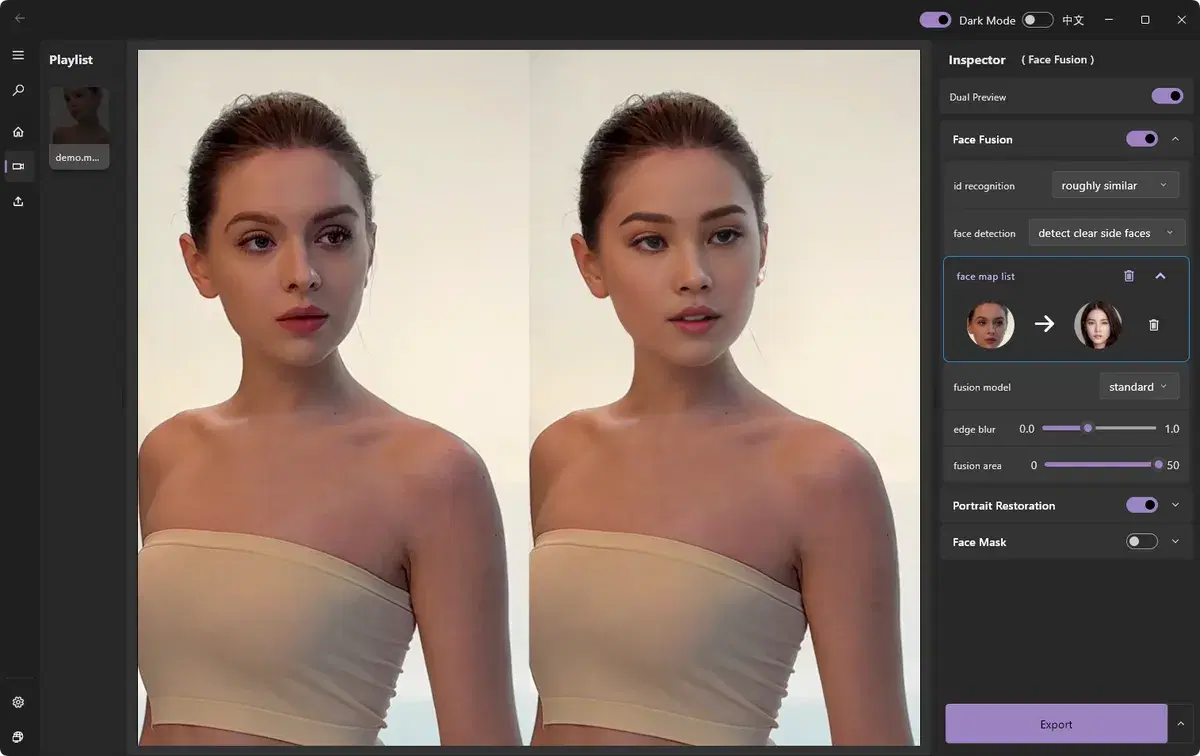
Open a video in ClapClip, choose the face you want to replace and add a source photo. Play a few sections to check the result, then export the video on your PC.
Free download. Export requires a purchase inside the app.
How it works
- Preview head turns and expressions before export
- Process the video locally on Windows
- Use your GPU for desktop processing
Import your video
Open the clip you want to edit in ClapClip.
Choose a source face
Pick a clear, front-facing photo or a built-in template.
Check the preview
Play the clip and watch how the face follows movement and expressions.
Export
Render the finished clip on your PC in a common video format.
Free download. Export requires a purchase inside the app.

Video currently unavailable. This is a saved preview image, not a playable video.
Video currently unavailable. This is a saved preview image, not a playable video.
Step-by-step guide to swapping faces in a videoLook closely before you export
Choose a clear face photo. In the preview, check where the person turns their head or covers their face. Look for uneven lighting and rough edges. Results and speed depend on the footage and your PC.
Create with permission. Use media and faces you have rights to, and clearly disclose edited content.
What do you want to edit?
Video face swap
Change the face in a video with the Windows app.
See the resultsPhoto face swap
Open a photo in the Windows app and add the face you want to use.
See the resultsBatch processing
Use one face across several photos or videos in the Windows app.
See the resultsLocal processing
Process photos and videos on your Windows PC without uploading them.
See the resultsEdit videos on your Windows PC
Free download. Export requires a purchase inside the app.