Batch face swap for photos and videos
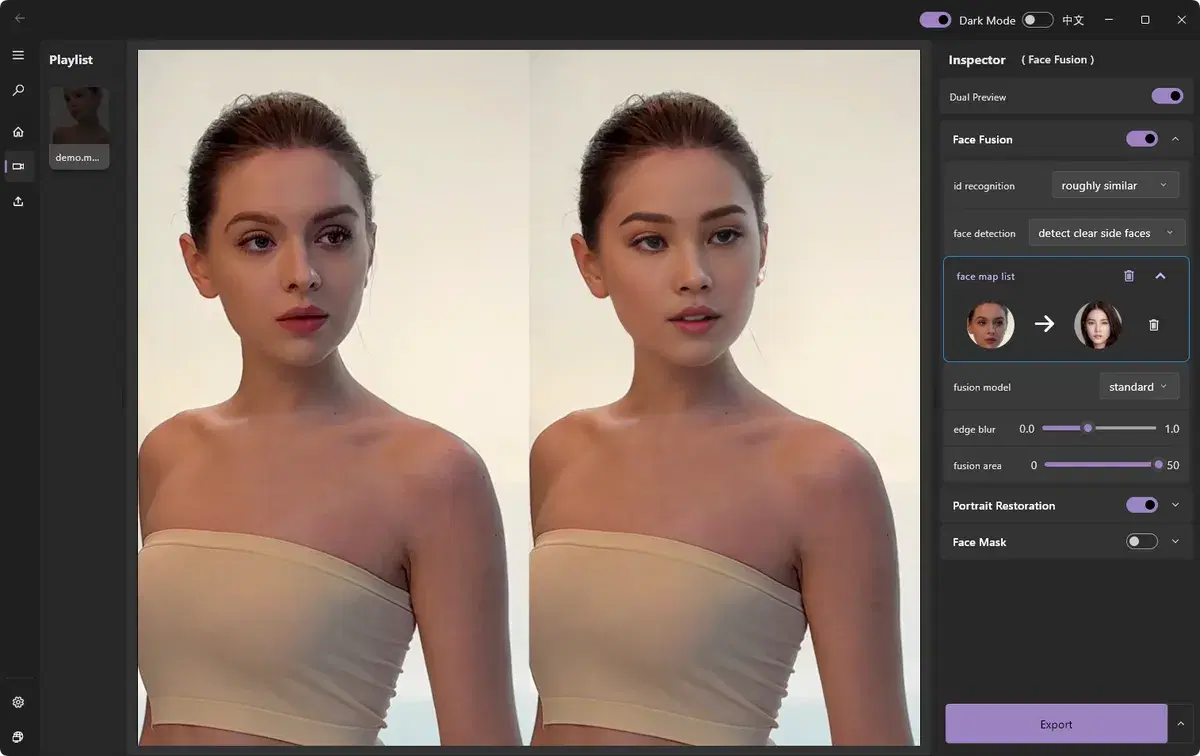
Have several files to edit? Test the source face on one file, then add the rest to a batch in ClapClip. The Windows app processes the files on your PC.
Free download. Export requires a purchase inside the app.
How it works
- Add several photos or videos to a batch
- Reuse a source face across files
- Process files on your own computer
Add your files
Select the batch of videos or photos to process.
Set the target face
Apply a source face or template across the batch.
Run the batch
Start processing the files on your PC. Time depends on the files, settings and GPU.
Export all
Save the finished results together.
Free download. Export requires a purchase inside the app.

Video currently unavailable. This is a saved preview image, not a playable video.
Video currently unavailable. This is a saved preview image, not a playable video.
Watch the full before and afterLook closely before you export
Choose a clear face photo. In the preview, check where the person turns their head or covers their face. Look for uneven lighting and rough edges. Results and speed depend on the footage and your PC.
Create with permission. Use media and faces you have rights to, and clearly disclose edited content.
What do you want to edit?
Video face swap
Change the face in a video with the Windows app.
See the resultsPhoto face swap
Open a photo in the Windows app and add the face you want to use.
See the resultsBatch processing
Use one face across several photos or videos in the Windows app.
See the resultsLocal processing
Process photos and videos on your Windows PC without uploading them.
See the resultsEdit videos on your Windows PC
Free download. Export requires a purchase inside the app.